- Your order
- Optional upgrade
- Pay
Good decision. Now let the approved posts publish themselves
The Automation Kit is an importable n8n workflow of 20 nodes, plus a Make build card, that takes a content row from Ready to an AI-drafted caption to your approval to a published post.

The Sheet-to-Instagram Automation Kit
5 files · 466 KB
Launch offer price · ends 30 Nov, 11:59 pm IST
This is the one place the two are sold together in a single payment. It is not offered again during this purchase. GST included; nothing is added unless you choose it.
It finishes what you just started
Planning is solved; publishing is not
You will have thirty days planned. You will still have to be at your phone at half past six every evening to paste a caption and press share. This removes that part.
Captions drafted in your voice
Mark a row Ready and the workflow writes the caption and hashtags from your hook and script notes, using the brand context you paste in once.
Nothing posts without your yes
The draft waits in your sheet. You read it, edit it, and type YES. No approval, no post. That step is built in and it should stay there.
Only the official route
It publishes through Instagram's own content publishing API for Business and Creator accounts. No tools that log in with your password, nothing that puts the account at risk.
The Sheet-to-Instagram Automation Kit
- An importable n8n workflow: 15 working steps and 5 notes explaining each stage
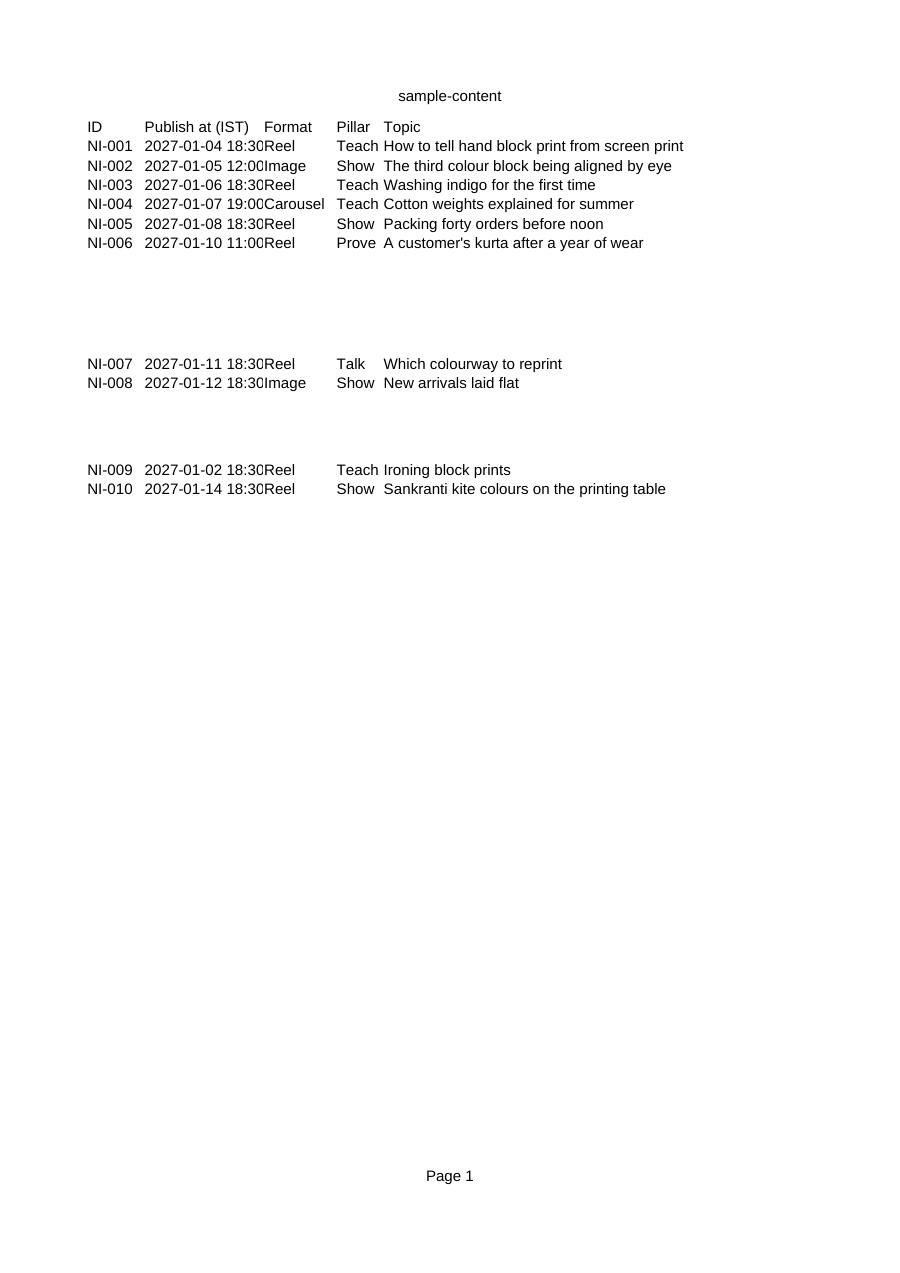
- A setup guide naming every field, with a safe test using 10 sample rows
- A module-by-module Make build card for Airtable, OpenAI and Instagram for Business
- The system and user prompts in a separate file, with a tuning guide
- A troubleshooting table for the errors you are most likely to meet
- Posts reels and single images at the time you set; carousel captions are drafted for posting by hand
Three weeks from now the plan will be working. The calendar is full, the reels are filmed on Sunday, and the only thing left each day is the part that needs you least: opening the app, pasting, tagging, pressing share at the right time.
That is the evening you are at a family dinner, or on a train with no signal, and the day's slot passes. The Automation Kit is for that evening. You approved the caption on Sunday. It goes out at half past six whether you are looking at your phone or not.
See its file list (5)
- 00 Start here - Setup Guide.pdf
- prompts.md
- READ ME FIRST.txt
- sample-content.csv
- workflow.json
One more: a content partner that already knows your account
The AI Assistant Kit is 5 files that build a private assistant in ChatGPT, Claude or Gemini, loaded with your details and the MINT Method, so you never start from a blank chat.
- Full instructions to paste: how it interviews you, its rules, formats and refusals
- 2 knowledge files: the hook rubric, reel spines, carousel structures and the Friday review
- 12 conversation starters for the jobs you repeat every week
- 8 test questions with what a good answer looks like
- A setup guide for a custom GPT, a Claude Project and a Gemini Gem
Your order, with and without it
I am not a developer. Can I set this up?
The guide is written for non-developers and names every field. Most of the time goes on Meta's own set-up screens for the access token, which need patience more than skill. Test with the sample data before you connect real accounts.
What will it cost to run?
The kit itself is a one-time purchase. The tools it connects have their own costs: an automation tool, and an AI API key billed per use. Free tiers exist and change, so check current pricing before you start.
Could it post something I have not seen?
No. A row is published only when its status is Needs approval, the approval column says YES, a caption and media link are present, and the publish time has arrived.
The Sheet-to-Instagram Automation Kit
Either way you go to the payment step next. Digital product: no refunds once the download link is issued.